
- Infostacker Publish Obsidian Notes to the Web
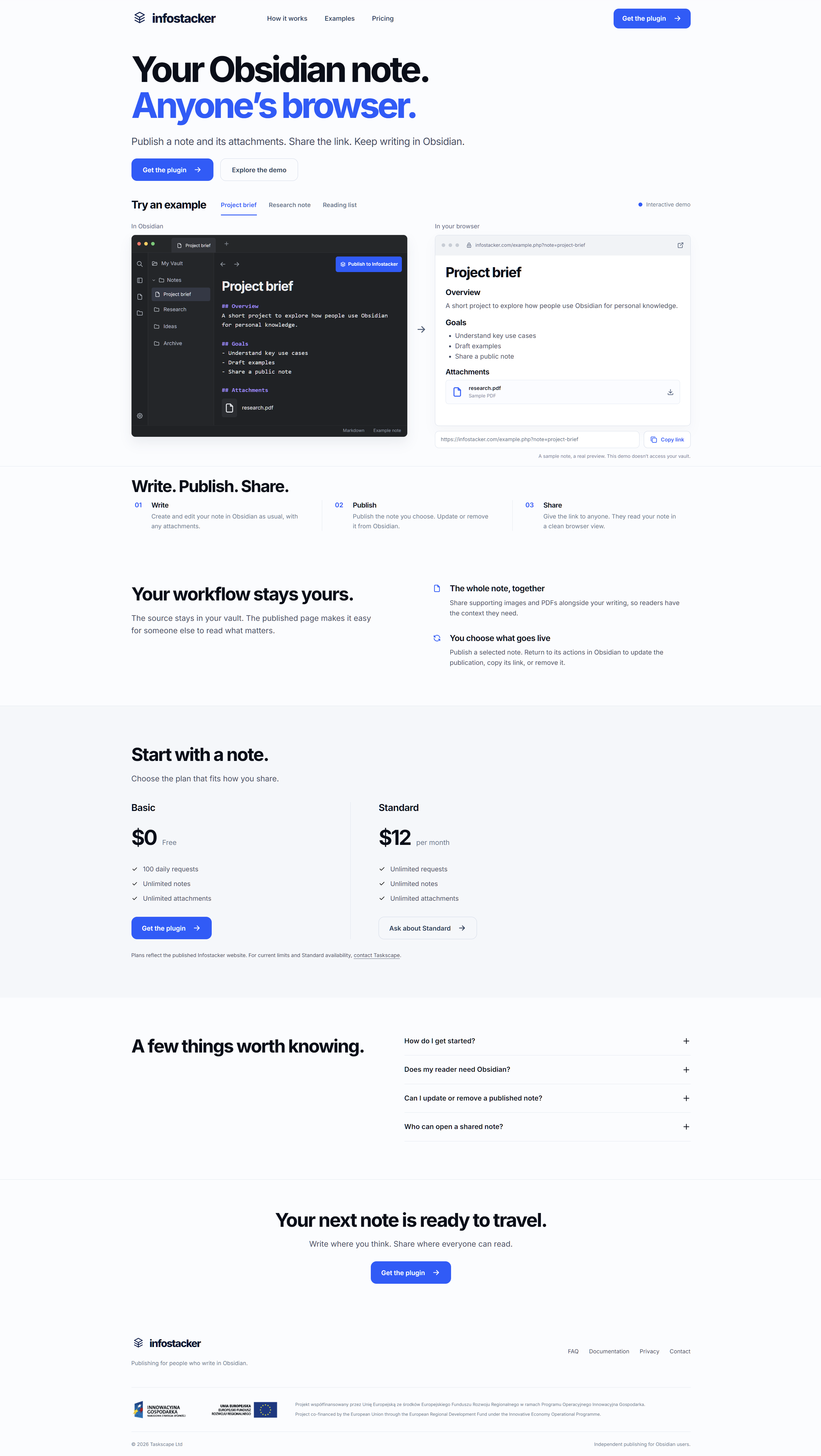
Infostacker lets Obsidian users publish a selected note and its attachments to a browser-readable page. Share the generated link with readers while keeping the source note in your own vault.
- Provider
Taskscape Ltd
Poland
- Key Features
- How It Works
Install and enable the Infostacker community plugin in Obsidian. Right-click the tab of a note you want to share and choose “Publish to Infostacker.” The plugin creates a URL that anyone with the link can open in a modern browser without Obsidian. You can later republish edits, copy the URL or delete the publication from the note actions.
Images and PDFs can accompany a published note. The source stays in your Obsidian vault, and you choose which notes to publish.
- Plans
The published Basic plan is free with 100 daily requests. The Standard plan is listed at $12 per month with unlimited requests. Both list unlimited notes and attachments. See the Infostacker website for current limits and availability.
- EU Funding

Project co-financed by the European Union through the European Regional Development Fund under the Innovative Economy Operational Programme.
- Contact Us
If you need more info, please speak with us by using the contact details provided below, or by filling in the contact form.
Call Us
Phone +44 (0) 786 979 64 76Our Location
71-75 Shelton Street, London, GB